Office 365 Mail Queue
How to Check Mail Queue in Office 365 1. Open https://protection.office.com/ 2. Mail flow -> Dashboard -> Queues
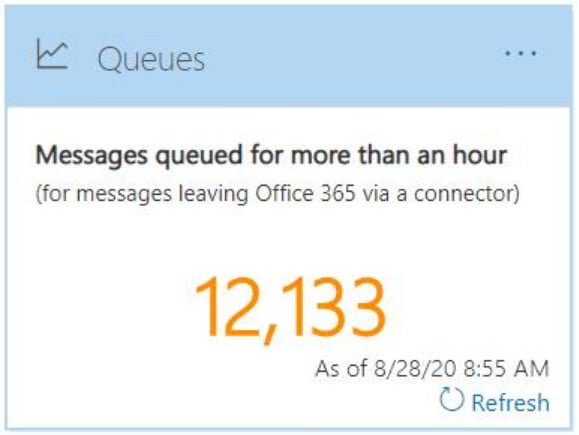
How to Check Mail Queue in Office 365 1. Open https://protection.office.com/ 2. Mail flow -> Dashboard -> Queues
Steps to Release Quarantine emails in Office 365 Open https://protection.office.com Threat management -> Review -> Quarantine Search the email with one of the available criteria Message ID Sender email address Recipient email address Subject Policy name Select the email and click Release message To release multiple emails, Select multiple emails -> click Release messages Release…

Steps to Whitelist an IP address in Office 365 Open https://outlook.office365.com/ecp/ Protection -> Connection filter -> Default -> Connection filtering ->Add the IP address under IP Allow list -> Ok ->Save

Steps to Block an IP address in Office 365 Open https://outlook.office365.com/ecp/ Protection -> Connection filter -> Default -> Connection filtering ->Add the IP address under IP Block list -> Ok ->Save

Steps to Block list a Domain in Office 365 Open https://outlook.office365.com/ecp/ Protection -> Spam filter -> Default -> Block lists ->Add the sender domain under Domain block list -> Ok ->Save
Steps to Block list a sender email address in Office 365 Open https://outlook.office365.com/ecp/ Protection -> Spam filter -> Default -> Block lists ->Add the sender email address under Sender block list -> Ok ->Save
Steps to Whitelist a Domain in Office 365 Open https://outlook.office365.com/ecp/ Protection -> Spam filter -> Default -> Allow lists ->Add the sender domain under Domain allow list -> Ok ->Save

How to whitelist an email address in office 365. Steps to Whitelist a sender email address in Office 365 Open https://outlook.office365.com/ecp/ Protection -> Spam filter -> Default -> Allow lists ->Add the sender email address under Sender allow list -> Ok ->Save

What’s the difference between junk email and bulk email? What’s junk email? Junk email messages are “spam” messages, which are unsolicited (and typically unwanted) email messages that are filtered by the service. By default, the service rejects the spam message based on the reputation of the sending IP address. However, if it passes IP inspection…
Exchange Online Protection (EOP) is a cloud-based email filtering service that helps protect your organization against spam and malware. If you have mailboxes in Office 365, they are automatically protected by EOP since it is part of the service. This includes organizations that have mailboxes in both Office 365 and on-premise, which is commonly known…