How to Block list a Domain in Office 365
Steps to Block list a Domain in Office 365
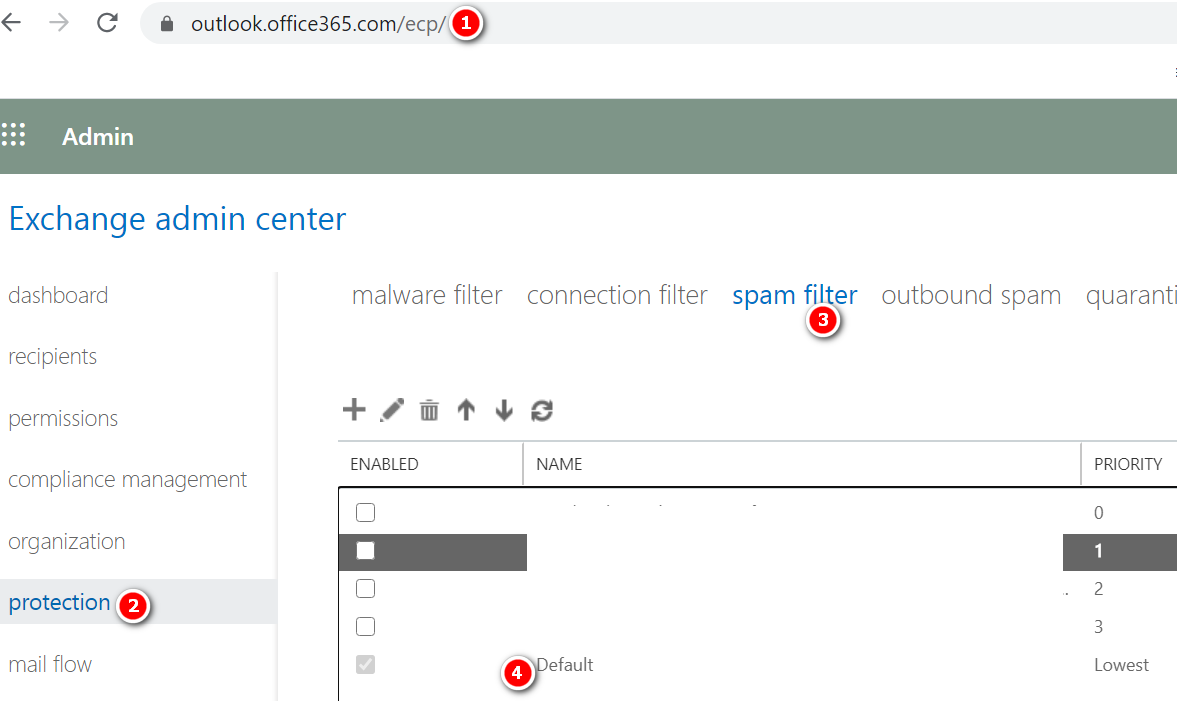
- Open https://outlook.office365.com/ecp/
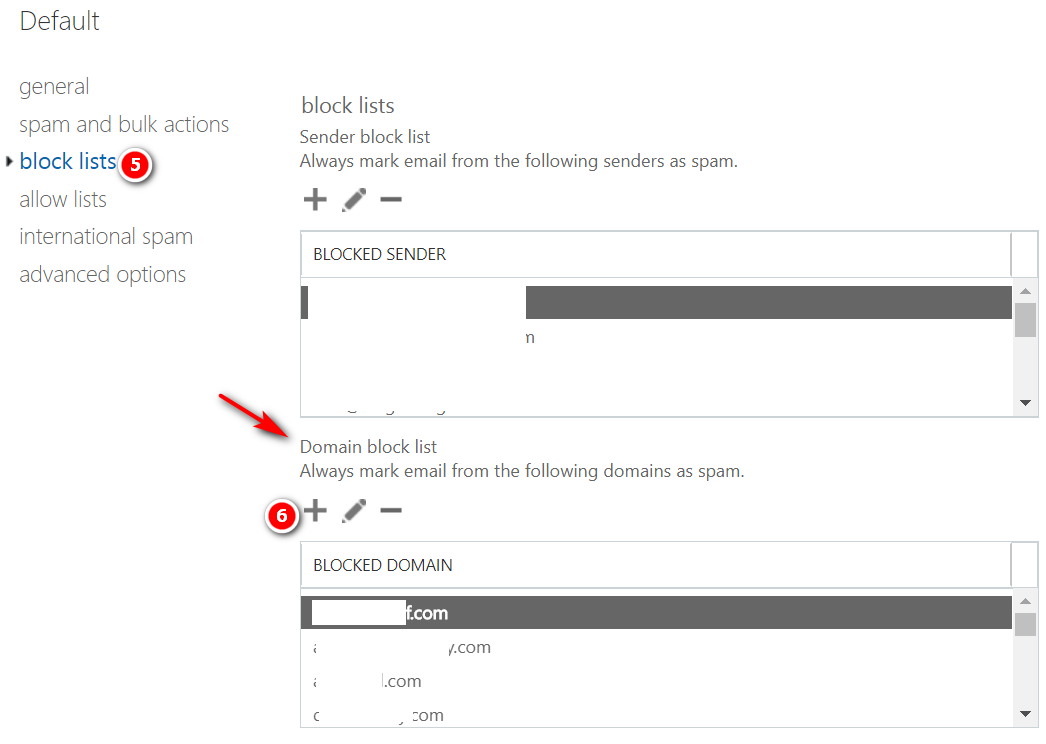
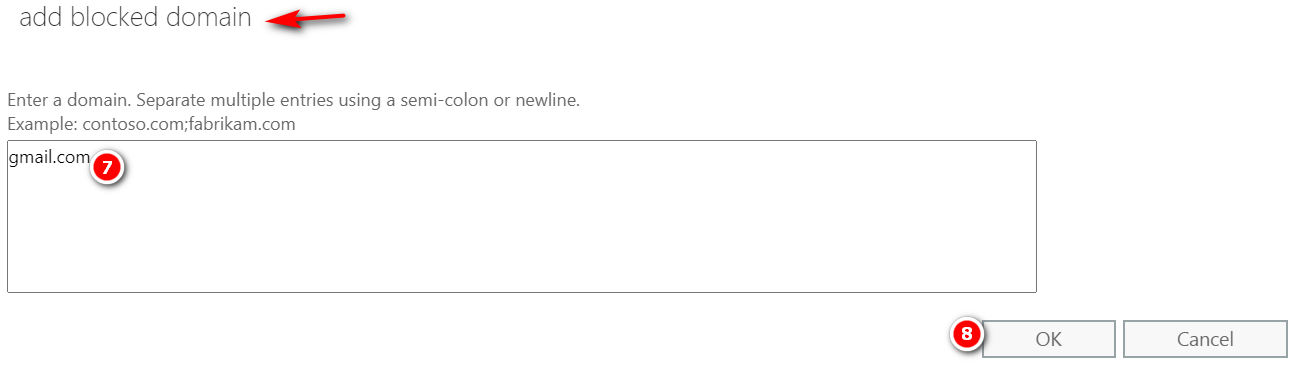
- Protection -> Spam filter -> Default -> Block lists ->Add the sender domain under Domain block list -> Ok ->Save

Steps to Block list a Domain in Office 365

Proofpoint Ransomware Survival Guide Download Ransomware Survival Guide

Phishing Email Tips • Avoid strangers, check name and email address • Don’t rush, be suspicious of emails marked “urgent” • Notice mistakes in spelling and grammar • Beware of generic greetings, “dear sir/ma’am” • Don’t be lured by incredible “deals” • Hover over the link before you click to ensure it has a secure URL…

SonicWALL Email Security Current Firmware Version Login to SonicWALL Email security Control Center (CC) Click Manage Click Firmware Update
Powershell Command: Get-MailboxJunkEmailConfiguration -Identity “username@example.com” Result:

Message Tracking – SonicWALL Email Security Login to SonicWALL Email Security Control Center (CC) Click Investigate Tab Under the Logs Option Select Message Logs. Select Inbound or Outbound Option In the Simple Search Box enter the Text Sender or Recipient email address (TO/FROM), or Message Subject and click Search Now it will show all the…

Exchange Online Mailbox counts – PowerShell Command Get-exomailbox -resultsize unlimited |select DisplayName, UserPrincipalName, Alias, PrimarySmtpAddress, RecipientTypeDetails, EmailAddresses |export-csv “c:\MonthlyReport\AllMailboxescount.csv” -Notypeinformation