How to Block an IP in Office 365
Steps to Block an IP address in Office 365
- Open https://outlook.office365.com/ecp/
- Protection -> Connection filter -> Default -> Connection filtering ->Add the IP address under IP Block list -> Ok ->Save
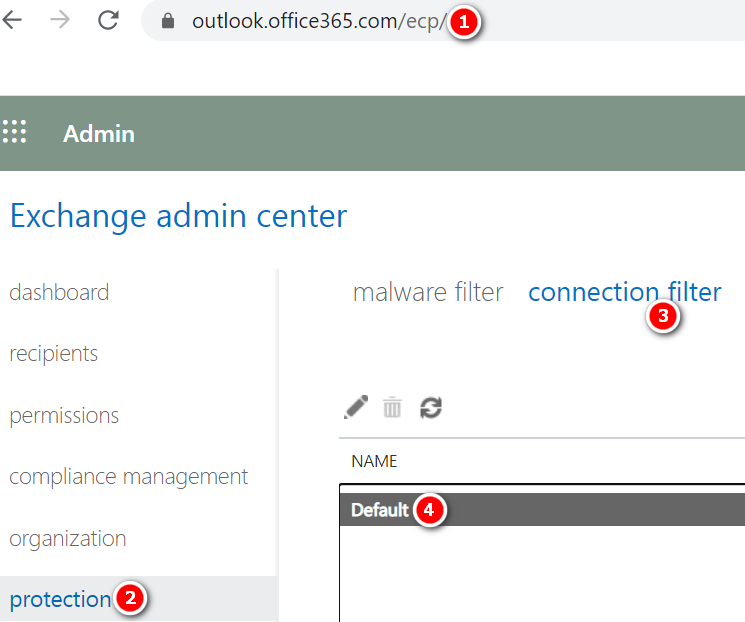
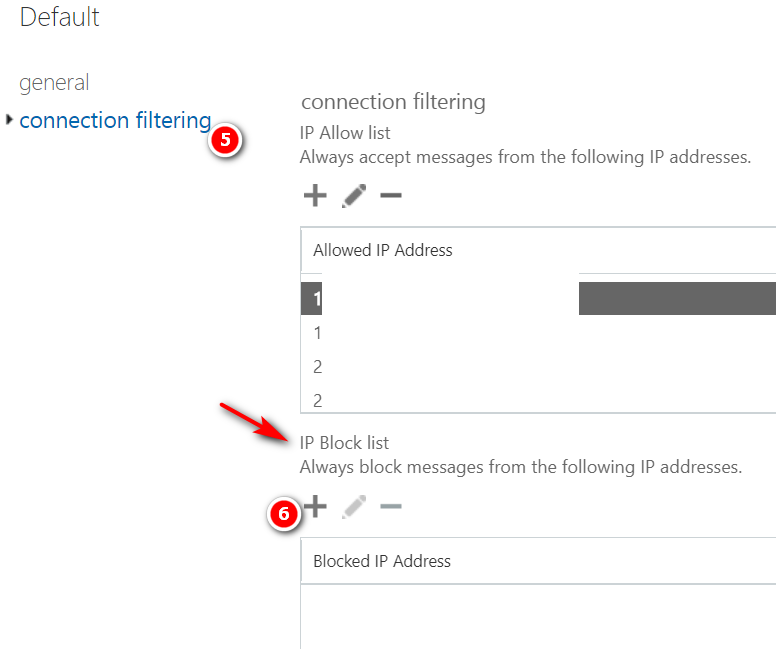


Steps to Block an IP address in Office 365

Proofpoint Ransomware Survival Guide Download Ransomware Survival Guide
Use the delist portal to remove yourself from the blocked senders list Are you getting an error message when you try to send an email to a recipient whose email address is in Microsoft 365? If you think you should not be receiving the error message, you can use the delist portal to remove yourself…
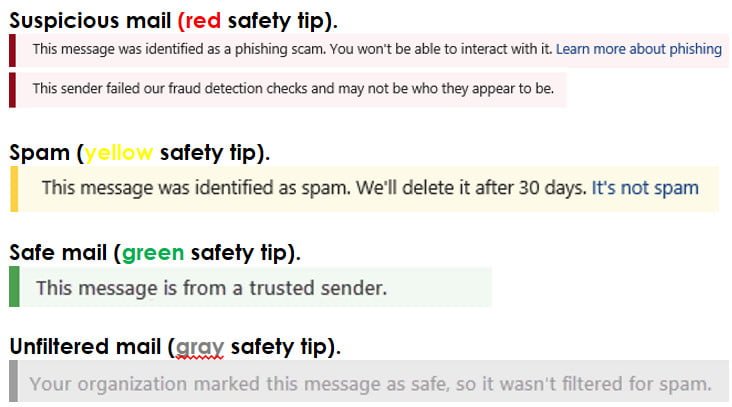
Safety tips in email messages Office 365 Exchange Online Protection (EOP) and Microsoft 365 protect you with spam, phishing, and malware prevention. Today, some of these attacks are so well crafted that they look legitimate. Sending messages to the Junk Email folder isn’t always enough. Now, when you check your email in Outlook or Outlook…
SonicWALL Email Security Current Firmware Version Login to SonicWALL Email security Control Center (CC) Click Manage Click Firmware Update
Searching the audit log in O365 In the Security & Compliance Center, click Search & investigation > Audit log search. Configure the following search criteria (Note: Leave this box blank to return entries for all files, folders, and URLs in your organization): Activities. Click the drop-down list to display the activities that you can search for. User and admin…
Types of reports in the Security & Compliance Center – Office 365 A wide variety of reports are available in the Security & Compliance Center. (Go to Reports > Dashboard to get an all-up view.) The following table lists available reports with links to learn more: Type of information How to get there Where to go to learn more…