Exchange Server

  • Exchange MRS Proxy endpoint

    Enable MRS Proxy endpoint for remote moves   The Mailbox Replication service (MRS) has a proxy endpoint that’s required for cross-forest mailbox moves and remote move migrations between your on-premises Exchange organization and Microsoft 365 or Office 365. You enable the MRS proxy endpoint in the Exchange Web Services (EWS) virtual directory settings in the…

  • Exchange Message Content conversion

    Microsoft Exchange Mail routing Message Content Conversion Process.   Content conversion   Content conversion is the process of correctly formatting a message for each recipient. The decision to perform content conversion on a message depends on the destination and format of the message. They types of content conversion that occur in Exchange 2016 and Exchange 2019…

  • |

    Managing Groups CMDlets

    Managing Exchange Groups PowerShell CMDlets Get Distribution Group Get-DistributionGroup -identity ‘user@domain.com’ | fl Get Distribution Group Members and export to a text file Get-DistributionGroupMember -Identity ‘group@domain.com’ | ft name, primarysmtpaddress > c:\path\file.txt Get Distribution Group information Get-DistributionGroup -Identity ‘group@domain.com’ | fl DisplayName, Alias, PrimarySmtpAddress, EmailAddresses, RecipientType, HiddenFromAddressListsEnabled, LastExchangeChangedTime, LegacyExchangeDN, WhenChanged, WhenCreated, WhenChangedUTC, WhenCreatedUTC, AcceptMessagesOnlyFrom, AcceptMessagesOnlyFromDLMembers,…

  • Exchange Mail Queue Management CMDlets

    Exchange Mail Queue Management PowerShell CMDlets Get Message Queue information Get-transportserver | Get-Queue –SortOrder: -MessageCount Get Queue Details Get-Queue –Server <server name> | Sort-Object -Property Messagecount | FT Identity, DeliveryType, NextHopDomain, Status, MessageCount, LastRetryTime, LastError -autosize Move Messages to Another Working Queue In the event a Hub Transport server is completely out, you may have the…

  • | |

    Message Tracking CMDlets

    Exchange Message Tracking PowerShell CMDlets Search by Message ID Get-ExchangeServer | get-messagetrackinglog -MessageID “<messageID>” -Start “5/16/2012 12:01:00 AM” -End “5/16/2012 11:59:00 PM” | fl Timestamp,ClientIp,ClientHostname,ServerIp,ServerHostname,Source,EventId,MessageId, @{Name=”Recipients”;Expression={$_.recipients}},@{Name=”Recipientstatus”;Expression={$_.recipientstatus}},TotalBytes,MessageSubject,Sender,ReturnPath,MessageLantency Search by Sender Get-ExchangeServer | get-messagetrackinglog -sender user@domain.com -Start “11/15/2012 12:00:00 AM” -End “11/16/2012 11:59:00 PM” | fl Timestamp,ClientIp,ClientHostname,ServerIp,ServerHostname, Source,EventId,MessageId, @{Name=”Recipients”;Expression={$_.recipients}},@{Name=”Recipientstatus”;Expression={$_.recipientstatus}},TotalBytes,MessageSubject,Sender Search by Recipient Get-ExchangeServer | get-messagetrackinglog -recipient user@domain.com…


  • |

    Exchange Event Logs CMDlets

    Exchange Event Log Powershell CMDlets To view only the Exchange-related services that are currently running Get-Service *exch* | Where-Object {$_.Status -eq ‘Running’} The following example retrieves the services from every Exchange server in the organization: Get-ExchangeServer | ForEach-Object {Get-Service *exch* -ComputerName $_.Name |Where-Object {$_.Status -eq ‘Running’}} Get Events after specified Date Get-EventLog -LogName application -after…

  • The Active Sync Device cannot be found

    Unable to delete Active Sync Devices in Exchange. Error: The Active Sync Device cannot be found. When you try to remove the mobile partnership in EMC(User Mailbox -> Right click -> Manage Mobile Phone -> Remove mobile phone partnership) you get the below error message: Solution: Open EMS Run following command: Get-ActivesyncDeviceStatistics –Mailbox “user alias”…

  • |

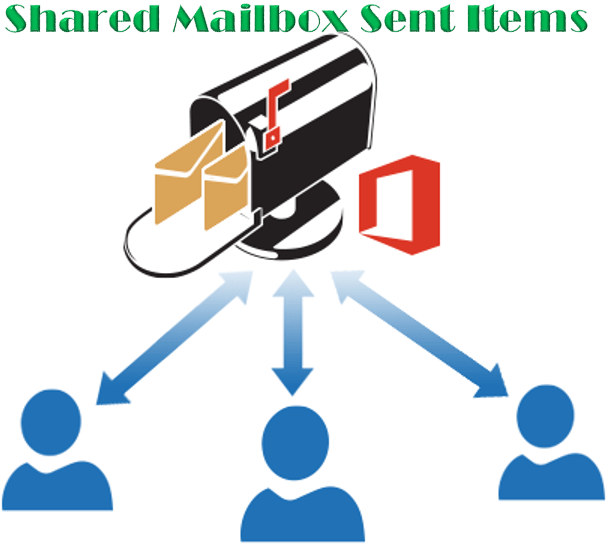
    Shared mailbox emails not saved in Shared mailbox Sent Items folder

    When a user sends an email from a shared mailbox the sent emails are stored on the user’s personal Sent Items folder instead of the shared mailbox’s sent Items folder. We can fix this behavior by following one of the below methods. By modifying the registry key on each computer where the shared mailbox is…