Office 365 Mail Queue
How to Check Mail Queue in Office 365
1. Open https://protection.office.com/
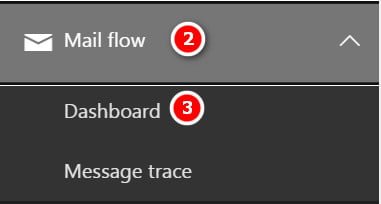
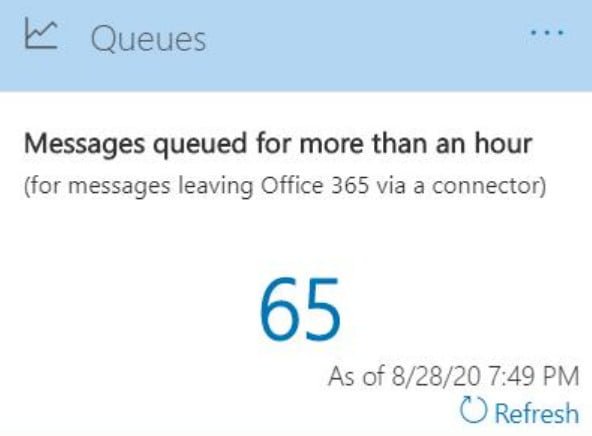
2. Mail flow -> Dashboard -> Queues

How to Check Mail Queue in Office 365
1. Open https://protection.office.com/
2. Mail flow -> Dashboard -> Queues
Exchange File mode replication vs Block mode replication Database replication occurs between DAG members using two methods: (1). File mode replication (2). Block mode replication (1). File mode replication: During file mode replication, each transaction log files generated by the active database copy is written until it is closed off when it reaches 1MB in…
Types of reports in the Security & Compliance Center – Office 365 A wide variety of reports are available in the Security & Compliance Center. (Go to Reports > Dashboard to get an all-up view.) The following table lists available reports with links to learn more: Type of information How to get there Where to go to learn more…
Manage your Allowed and Blocked URLs in the Tenant Allow/Block List – Office 365 Open https://protection.office.com/ In the Security & Compliance Center, go to Threat management > Policy > Tenant Allow/Block Lists. On the Tenant Allow/Block List page, verify that the URLs tab is selected, and then click Add In the Add new URLs flyout that appears, configure the following settings: Add URLs with wildcards: Enter one…
Protect against threats – Office 365 Microsoft 365 includes a variety of threat protection features. Here’s a quick-start guide you can use as a checklist to make sure your threat protection features are set up for your organization. Important Initial recommended settings are included for each kind of policy; however, many options are available, and…
How to get Exchange server build numbers/version numbers Get-ExchangeServer | ft Name,Edition,AdminDisplayVersion -autosize (or) Get-ExchangeServer | Format-List Name,Edition,AdminDisplayVersion Ref: https://docs.microsoft.com/en-us/exchange/new-features/build-numbers-and-release-dates?view=exchserver-2019
Centralized Mail Flow Centralized Mail Flow enables all outbound messages from both organizations to be routed through the on-premises organization. This allows for additional processing by on-premises message hygiene or compliance solutions. Non-centralized Mail Flow Non-centralized Mail Flow is selected by default in the Hybrid Configuration Wizard; Office 365 sends messages directly to the Internet…