How to Whitelist an IP in Office 365
Steps to Whitelist an IP address in Office 365
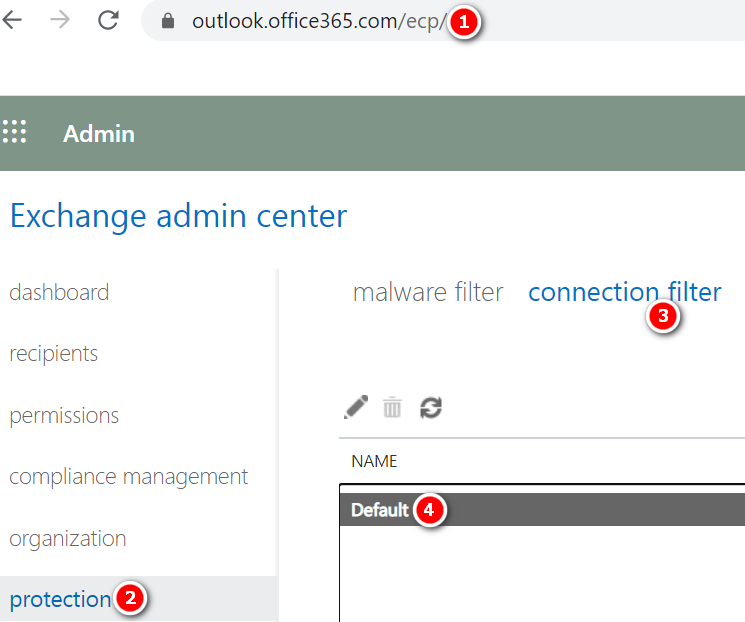
- Open https://outlook.office365.com/ecp/
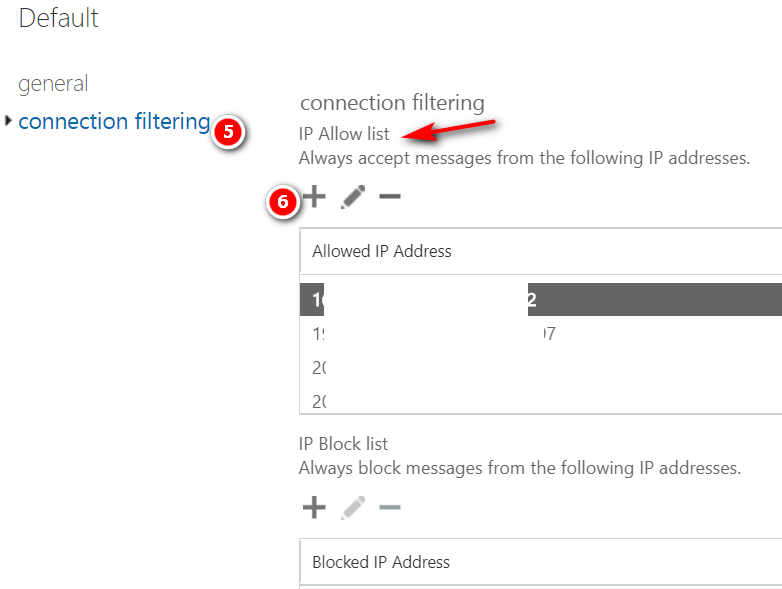
- Protection -> Connection filter -> Default -> Connection filtering ->Add the IP address under IP Allow list -> Ok ->Save



Message Tracking – SonicWALL Email Security Login to SonicWALL Email Security Control Center (CC) Click Investigate Tab Under the Logs Option Select Message Logs. Select Inbound or Outbound Option In the Simple Search Box enter the Text Sender or Recipient email address (TO/FROM), or Message Subject and click Search Now it will show all the…
Creating a transport rule to bypass safe attachments You can create a transport rule, also known as a mail flow rule, in the Exchange admin center to bypass safe attachments scanning. To understand how you create a transport rule that bypasses scanning, review the following steps: Open a browser and navigate to the Office 365 portal….
Enabling auditing in your O365 Tenant Enabling auditing in your tenant is a one-time process. Follow these steps to turn it on: In the Security & Compliance Center, click Search & investigation > Audit log search in the left navigation pane. Click Start recording user and admin activities. Note: If you don’t see this link, auditing has already been turned…
Steps to Whitelist an e-mail address/Domain in IronPort Log into IronPort ESA instances Go to Mail Policies -> Incoming Mail Policies. Change Mode to Hosted Cluster. Click on the Whitelisted Senders Policy. Add sender email addresses or domains, then save and then commit changes.
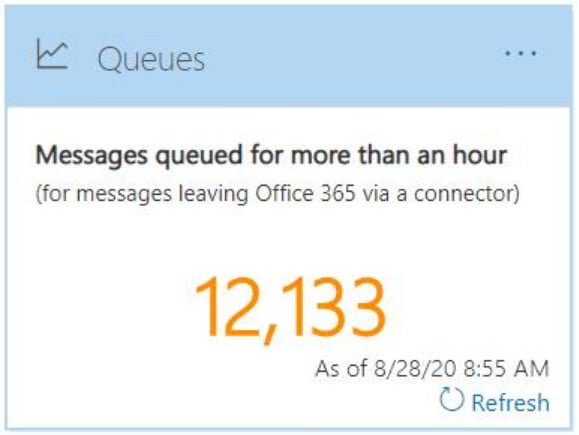
How to Check Mail Queue in Office 365 1. Open https://protection.office.com/ 2. Mail flow -> Dashboard -> Queues
Exchange Online Protection (EOP) is a cloud-based email filtering service that helps protect your organization against spam and malware. If you have mailboxes in Office 365, they are automatically protected by EOP since it is part of the service. This includes organizations that have mailboxes in both Office 365 and on-premise, which is commonly known…