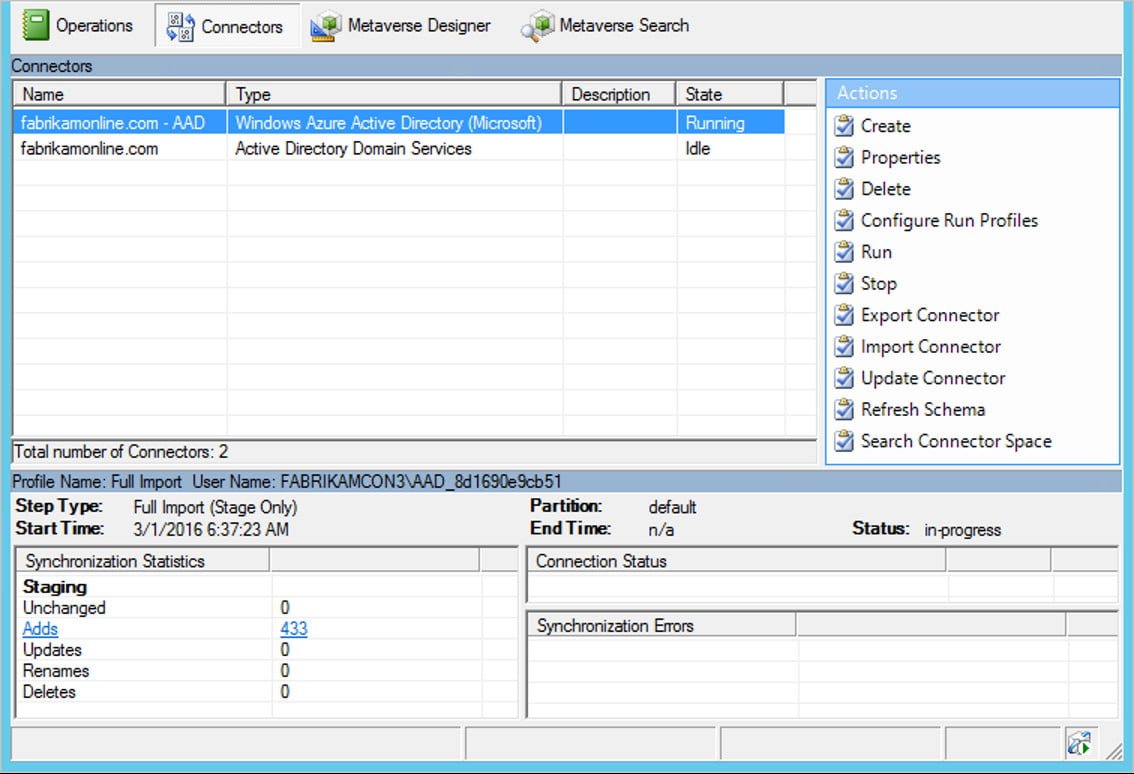
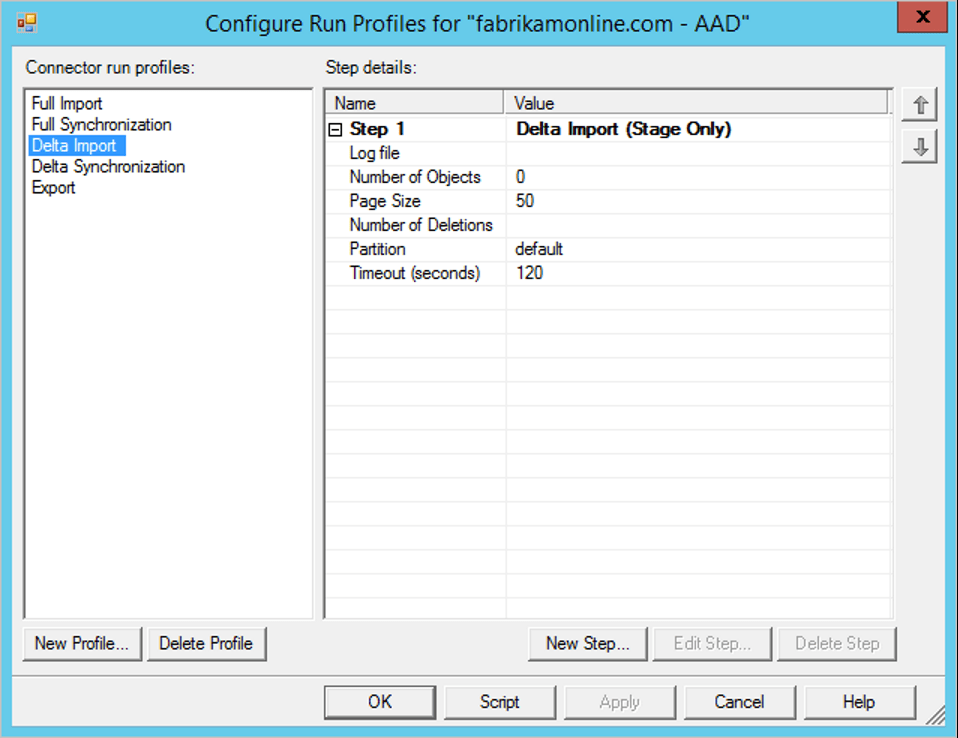
Azure AD Connect – Connectors and Run Profiles
Connectors | We have two different connectors
|
Run Profiles | Full Import Full Synchronization Delta Import Delta Synchronization Export
|
Connectors | We have two different connectors
|
Run Profiles | Full Import Full Synchronization Delta Import Delta Synchronization Export
|
Exchange Online Mailbox counts – PowerShell Command Get-exomailbox -resultsize unlimited |select DisplayName, UserPrincipalName, Alias, PrimarySmtpAddress, RecipientTypeDetails, EmailAddresses |export-csv “c:\MonthlyReport\AllMailboxescount.csv” -Notypeinformation
Creating a transport rule to bypass safe attachments You can create a transport rule, also known as a mail flow rule, in the Exchange admin center to bypass safe attachments scanning. To understand how you create a transport rule that bypasses scanning, review the following steps: Open a browser and navigate to the Office 365 portal….

What’s the difference between junk email and bulk email? What’s junk email? Junk email messages are “spam” messages, which are unsolicited (and typically unwanted) email messages that are filtered by the service. By default, the service rejects the spam message based on the reputation of the sending IP address. However, if it passes IP inspection…
Azure AD Connect Sync process AAD Sync Process.
Advanced Threat Protection Advanced Threat Protection (ATP) is a new email filtering service that complements Exchange Online Protection (EOP) and provides protection against specific types of advanced threats including phishing and zero day attacks. ATP delivers the following benefits: Safe links. Attackers sometimes try to hide malicious URLs with seemingly safe links that are redirected to…
Manage your Allowed and Blocked URLs in the Tenant Allow/Block List – Office 365 Open https://protection.office.com/ In the Security & Compliance Center, go to Threat management > Policy > Tenant Allow/Block Lists. On the Tenant Allow/Block List page, verify that the URLs tab is selected, and then click Add In the Add new URLs flyout that appears, configure the following settings: Add URLs with wildcards: Enter one…